How to change date or time of your system
You can make change in the setting of Date and time. you can configure current Date and Time by using the Date \ Time option present in the control panel :
Step -1 . Open the control panel by clicking on start -> setting -> control panel
Step -2 . Double click at the Date\ Time properties dialog box opens up as shown 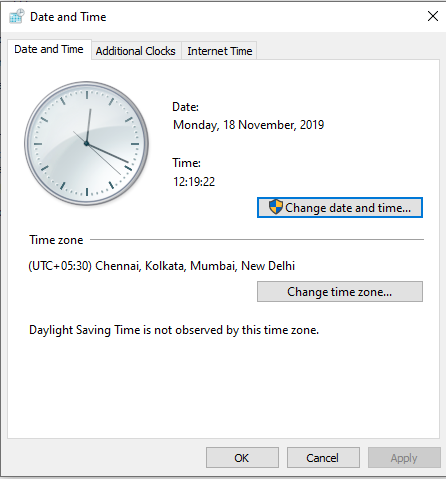
Step -3 .Click on Change date and time then dialog box open up as shown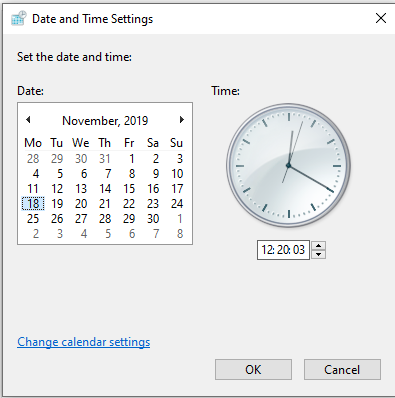
Step -4 . Now set the date from calender and time from clock and then click ok
Just it you will see that time of your system is changed now.


